Unofficial · native recompilation · v0.4.5

MARCHWIND 64

A native recompilation of the 1999 N64 game.

Marchwind 64 is an unofficial native recompilation project for Super Robot Wars 64. Runs natively on Windows, macOS, Linux, Steam Deck and Android, with full English and Chinese translations and widescreen support, plus an optional HD art pack.

Download the HD art packHD 1.1 · 533 MB · optional, every platform

Mirrors for mainland China: Quark Drive (passcode mQx4) · Baidu Netdisk (passcode tt3b) — every package and the HD pack.

Installing the HD pack →

Requires your own Japanese ROM · About ROMs · Other platforms and installation

Choose fixes and screen layouts individually in settings

NativeInstall, add your ROM and play
EN · ZH · JAFull translations, switchable in game
HD and widescreenSwitch between original and HD art at any time
Original bug fixesEnabled by default, with individual toggles
ORIGINAL → HD

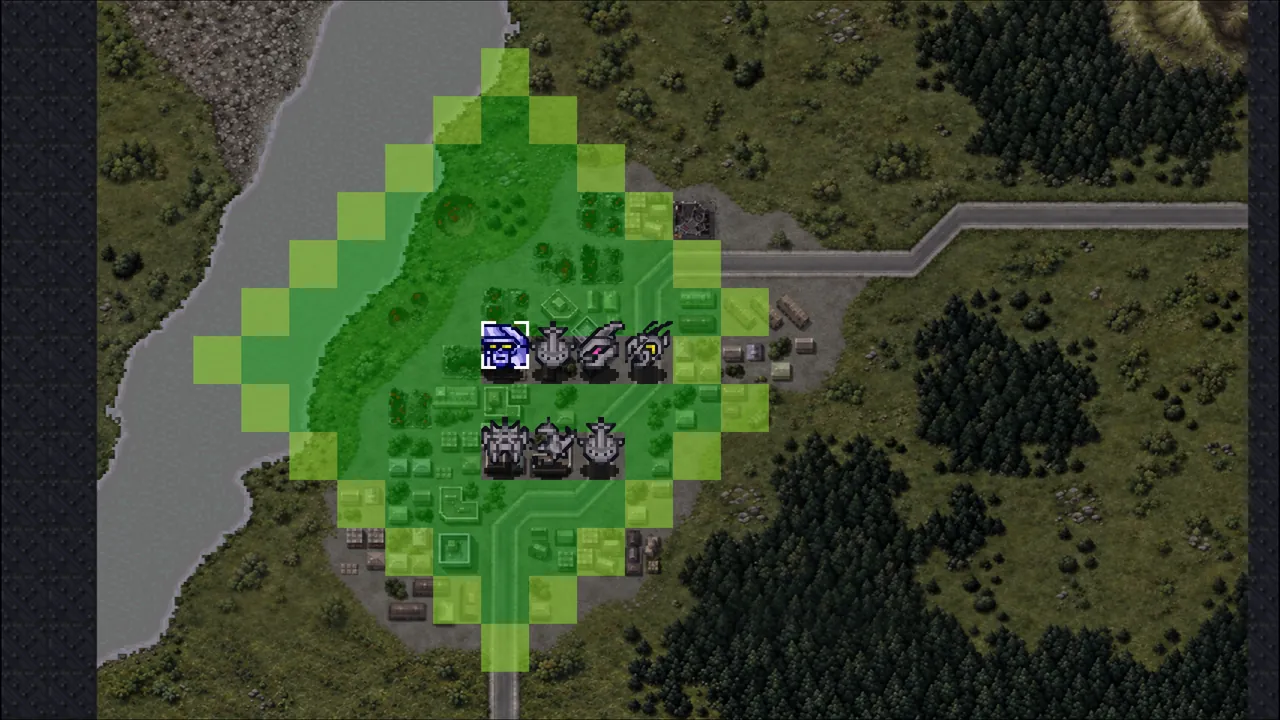
Original and HD graphics

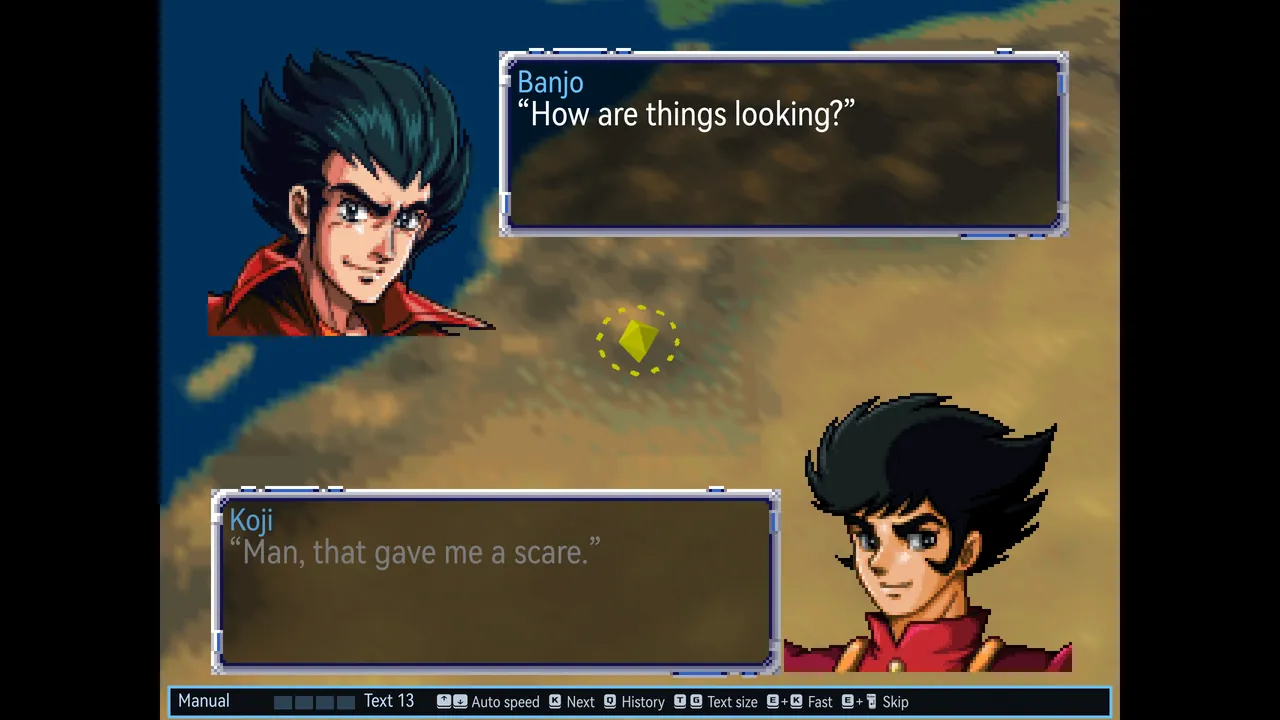
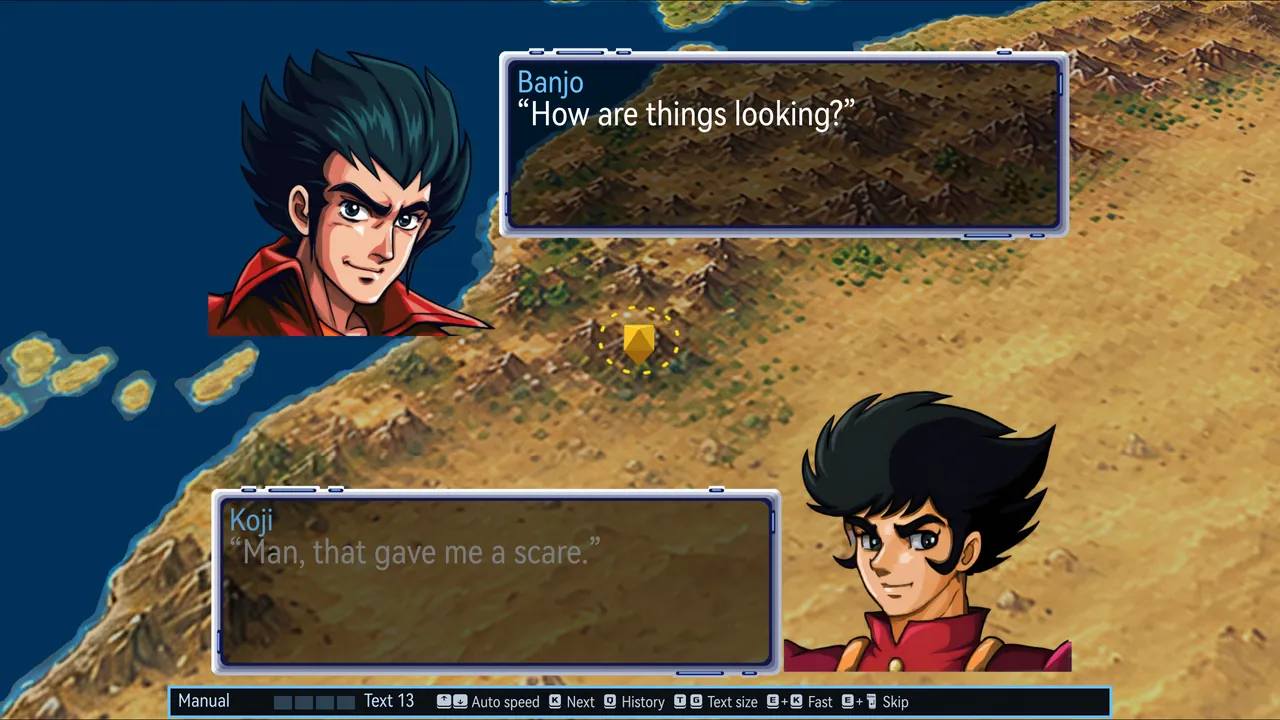
Left: the original 4:3 view, with N64-resolution portraits and maps. Right: Marchwind 64 with the HD pack, showing redrawn portraits and world map in 16:9. Switch between original and HD art at any time in game; both use the same saves.

Original and HD graphics · Original · 4:3
Original · 4:3
Original and HD graphics · MARCHWIND 64 · HD widescreen
MARCHWIND 64 · HD widescreen
FEATURES

Interface and control updates

Built on the N64 original, with updated screens, full translations and control improvements, plus individually selectable bug fixes. All images below are in-game screenshots.

Dialogue reader
01 · DIALOGUE

Dialogue reader

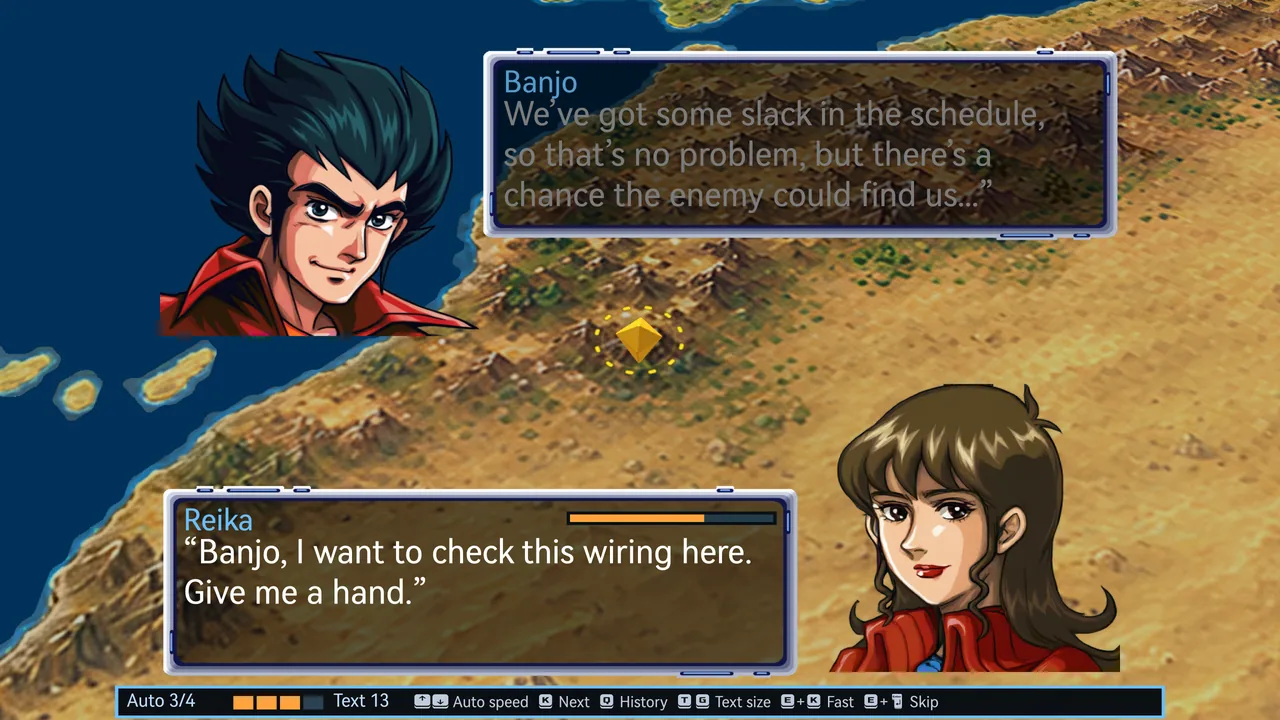
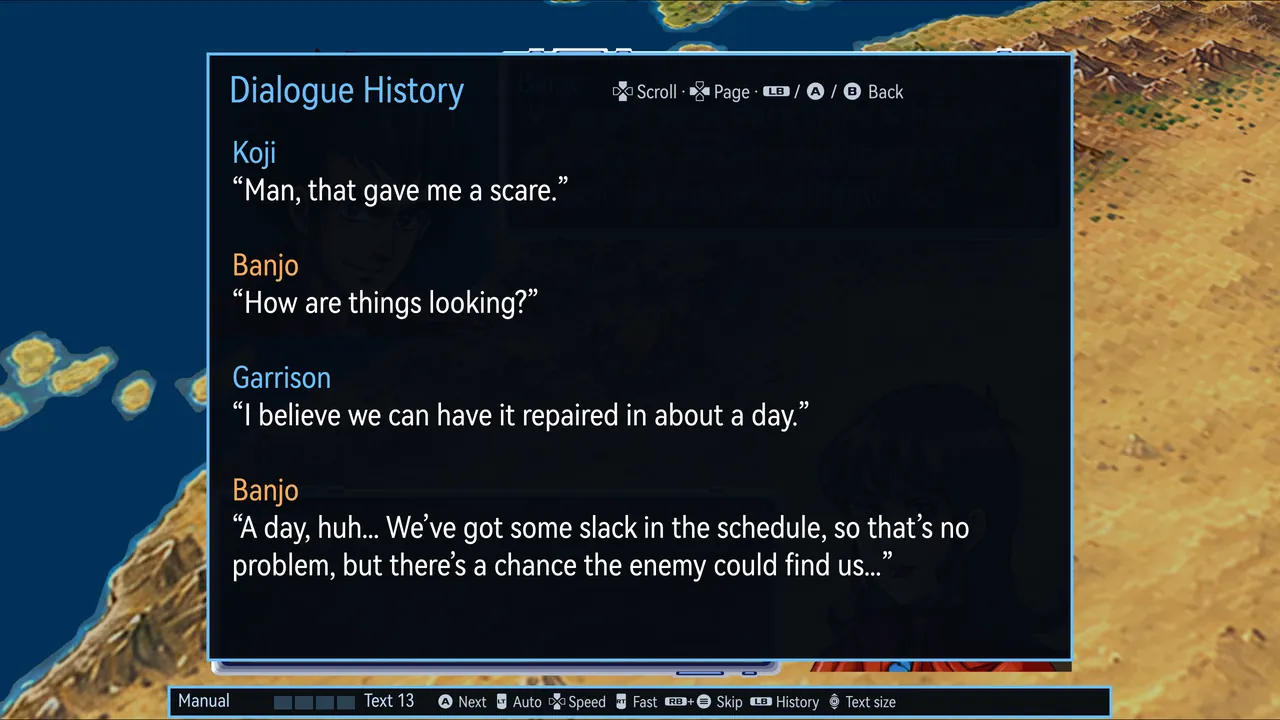
All dialogue is re-typeset in a high-resolution font. Each line runs continuously and is paged to fit the text size, avoiding page breaks mid-sentence. Earlier lines can be reviewed at any time, and auto-play, fast-forward and skip each have their own control, with the current reading mode and controls shown along the bottom of the screen.

  • Review the last 256 lines, coloured by speaker
  • Four auto-play speeds; text size from 10 to 18
  • Fast-forward and skip work as in modern Super Robot Wars games: hold to fast-forward and let go to stop; skip runs through the whole scene to the next choice or battle, with the same result as reading every line
  • Switch language or check the original Japanese at any time; the current line is re-typeset at once
  • Dialogue is stored as plain text files you can edit yourself
Modern SRW screens and controls
02 · BATTLE

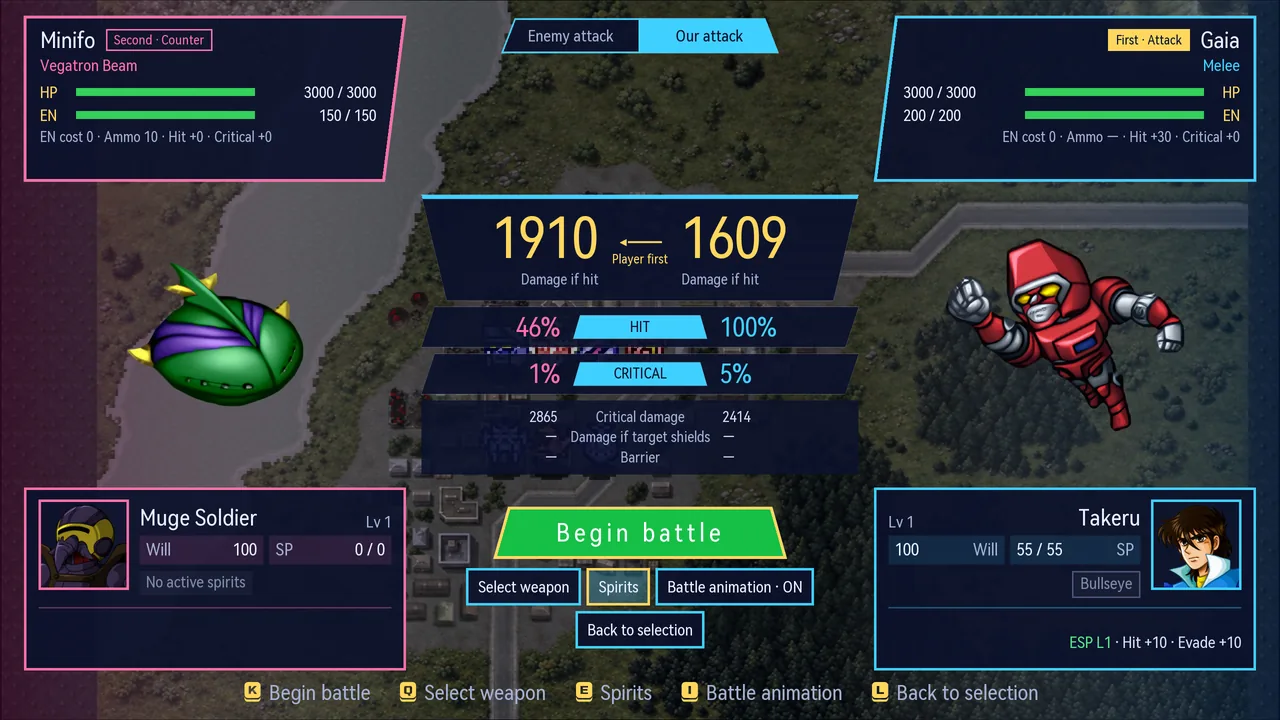
Modern SRW screens and controls

The pre-battle screen is redesigned in the style of modern Super Robot Wars games: damage, hit and critical rates for both sides appear side by side with shield and barrier effects, and spirits, weapon selection and the battle animation toggle are grouped below. The tactical map gains the shortcuts modern entries have too.

  • While choosing a destination, jump straight to the farthest reachable squares
  • L1/R1 step through your units, L2/R2 through the enemy’s
  • Stop a battle animation at any time; the result is calculated normally
  • The original screen is also available in settings
03 · RULES

Bug fixes and optional rules

Each rule has its own toggle and takes effect immediately, using the same save format. Select “Turn all off” to use the original rules.

Original bug fixes

On by default

Corrections to calculation errors and omissions in the original

  • ESP: hit and evade use the actual skill level (the original always used 64)
  • Holy Warrior: evade uses the actual level (the original always used 32)
  • Limit: hit and evade, each combined with mobility, are capped by the unit’s limit
  • Potential: corrected HP bands, with no bonus at full HP
  • Potential: hit and evade bonuses halved, criticals unchanged
  • Machine swap: the 3 weapons omitted from the table also retain their upgrades
  • Holy Warrior: Hyper Aura Slash grows stronger with the level

Convenience and difficulty

Off by default

Optional adjustments to upgrades, funds and battle difficulty

  • Raised upgrade cap: every unit can reach 15 levels
  • Departure refund: returns upgrade funds when a unit leaves as part of the story
  • Parts carry over: enhancement parts move with the pilot to the new machine
  • Boss dummies: halve their uses or disable them

Graphics and interface

New or original

Choose the new or original layout for each screen

  • Pre-battle screen: new, HD original or original
  • Intermission, hero selection and title menu: new or original
  • Art: HD or original, switchable at any time
  • Aspect ratio: fill the screen or keep 4:3
  • Battle animations and autosaves: individual toggles
In-game settings
04 · OPTIONS

In-game settings

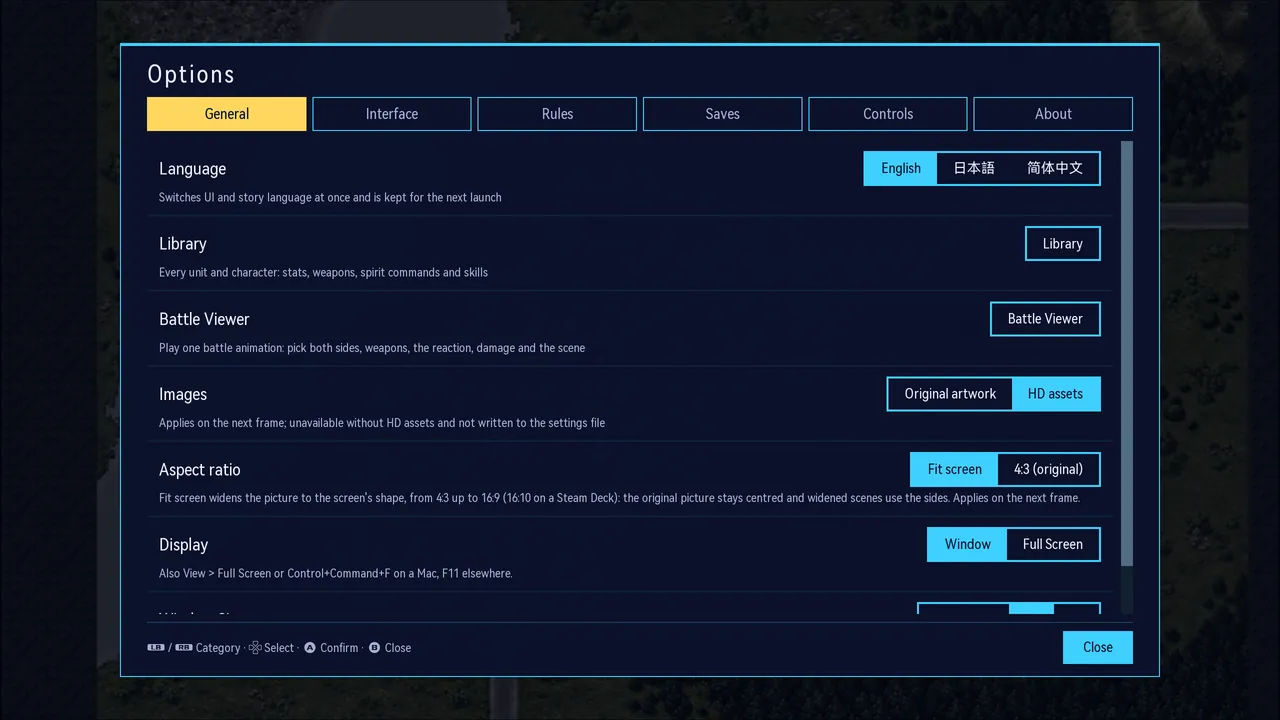
Adjust language, original or HD graphics, aspect ratio, full screen and interface size during play. You can also toggle individual rule fixes and remap keyboard and controller inputs.

  • Open them at any time in game, or from the button at the bottom right of the title screen
  • Three interface sizes: standard, large and largest
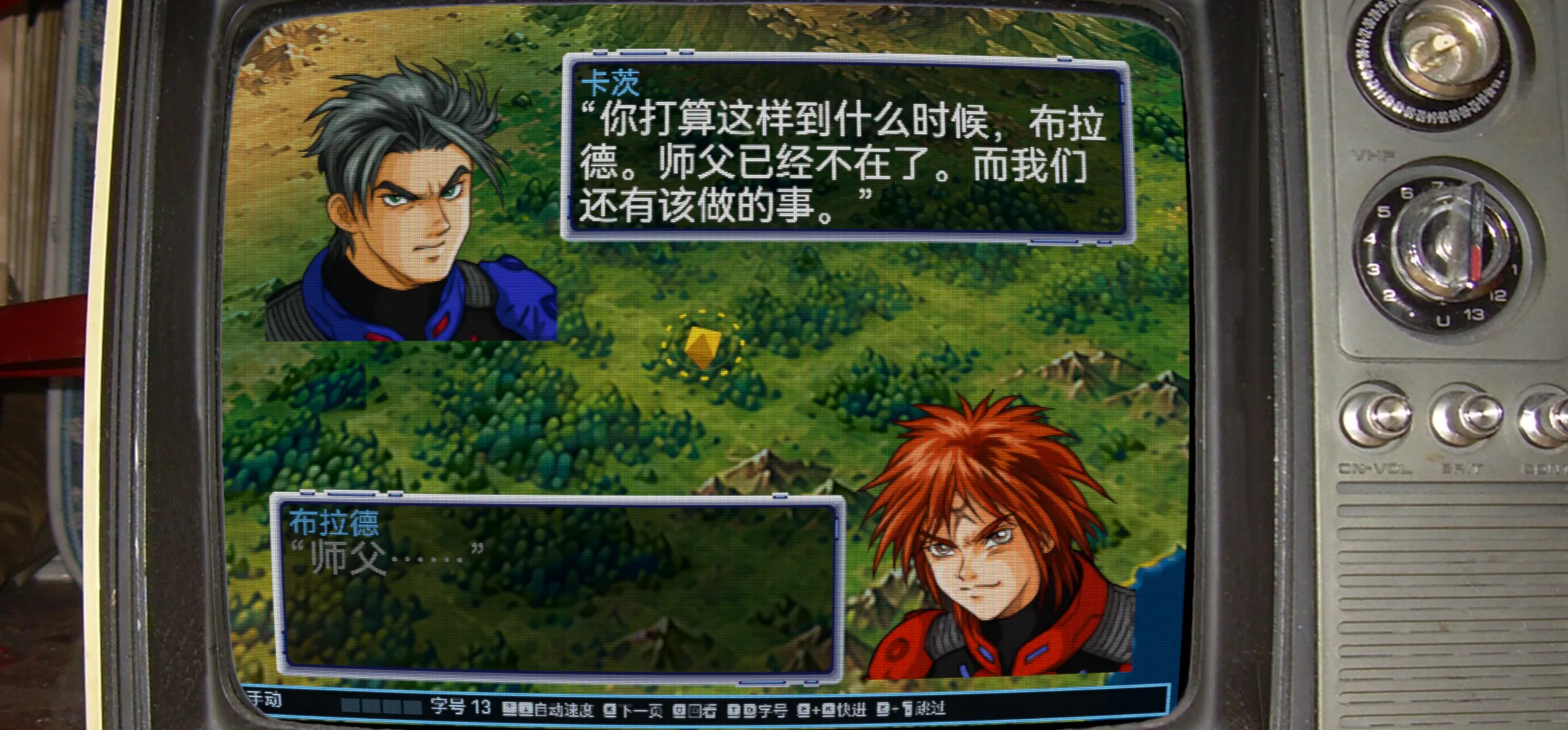
RetroArch filters and bezels
Bezel: tv-integer from RetroArch’s own overlays (libretro/common-overlays, CC BY 4.0). Filter: crt-lottes at 480 lines. The game ships with no bezels.
05 · FILTERS

RetroArch filters and bezels

Use RetroArch slang shader presets (.slangp) directly for CRT scanlines, NTSC colour and more. At 4:3 you can also add a RetroArch bezel; its transparent window lines up with the picture by itself. Both are in Options → General.

  • Nine common presets included, such as crt-lottes, crt-geom, zfast-crt (for handhelds), ntsc-adaptive and xbrz-freescale
  • Finds every slang shader of an installed RetroArch; drop your own presets and bezels in the data folder
  • Works on the original 240 lines (closest to a CRT), 480, 960, or the window’s resolution
  • Only the game picture and dialogue are filtered; the options window, notices and the bezel stay sharp
  • Filters run on macOS and Linux/Steam Deck; not on Windows yet
Library: 353 units, 293 characters
06 · LIBRARY

Library: 353 units, 293 characters

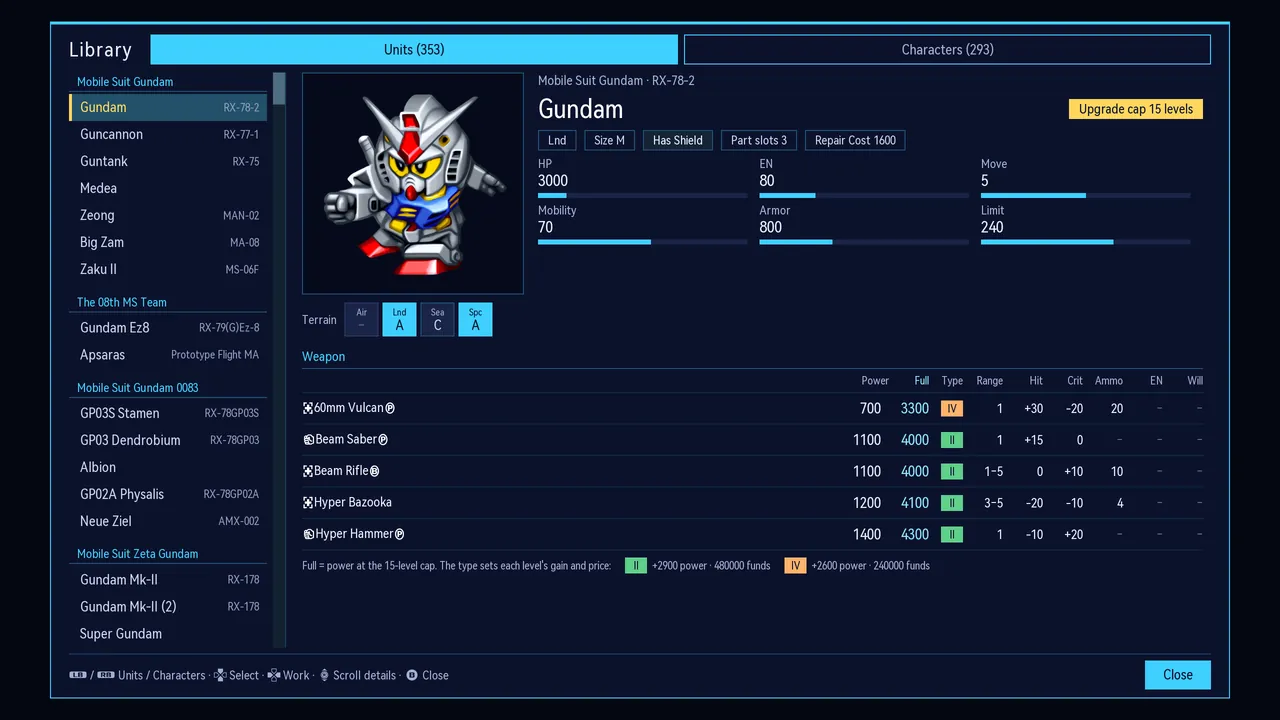
Organised by series, with unit stats, terrain ratings, weapons and their fully upgraded power, upgrade caps, and each pilot’s growth, spirits and skills. All entries come directly from the game data.

  • Open it from the title screen or during play
  • The same Library is available on this website
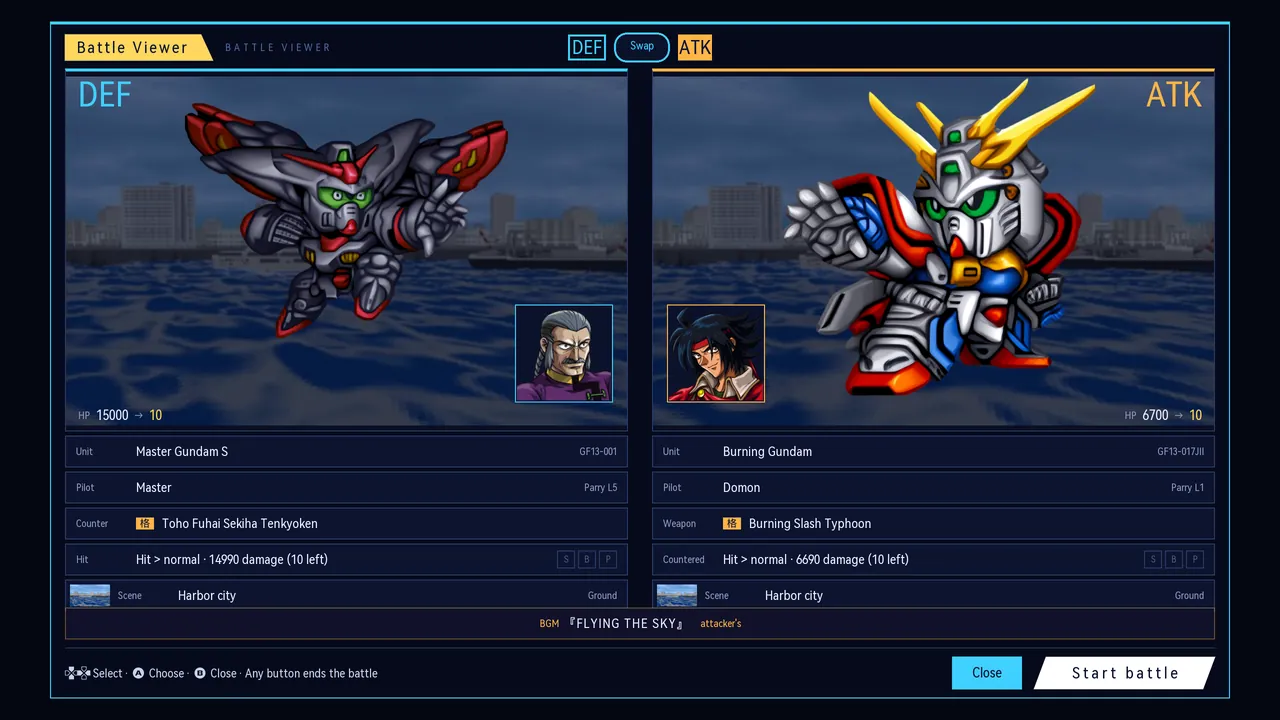
Battle Viewer
07 · VIEWER

Battle Viewer

Choose the attacking and defending units and pilots, set the weapon, the defender’s reaction, the damage and the scene, then play the full battle animation.

  • View weapon animations for every unit
  • Plays the attacker’s theme, as in the original
HD

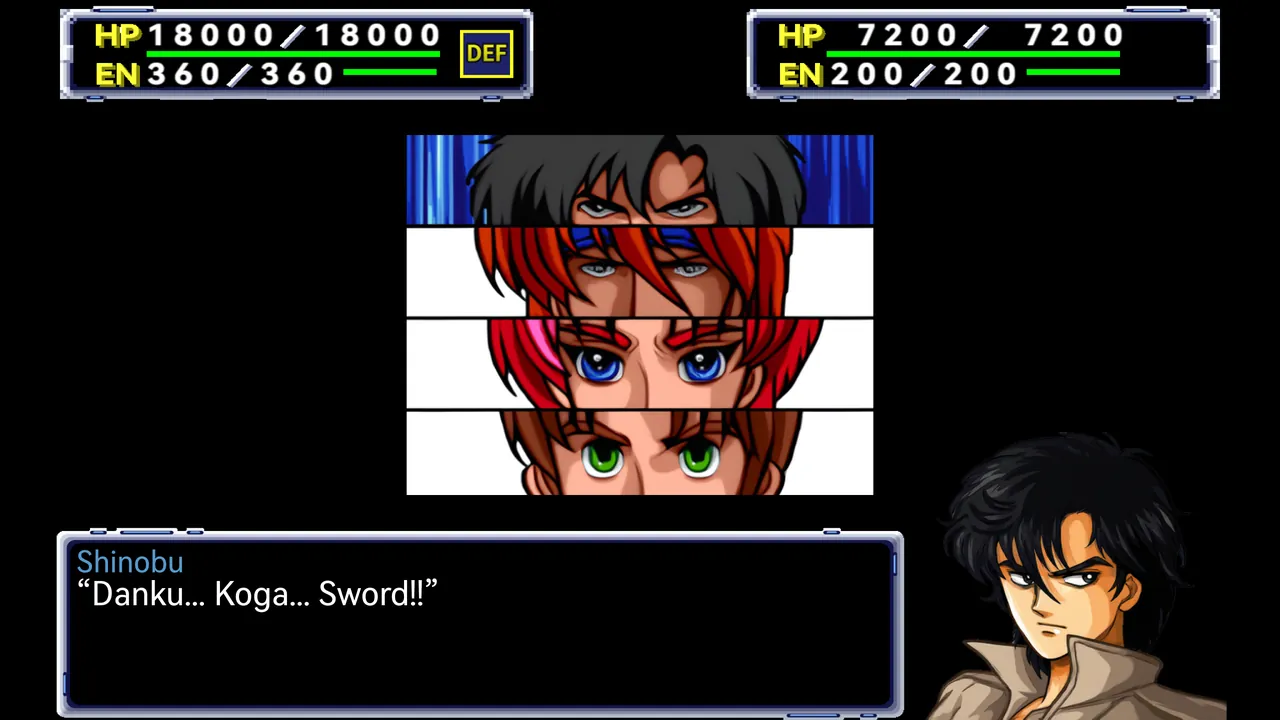
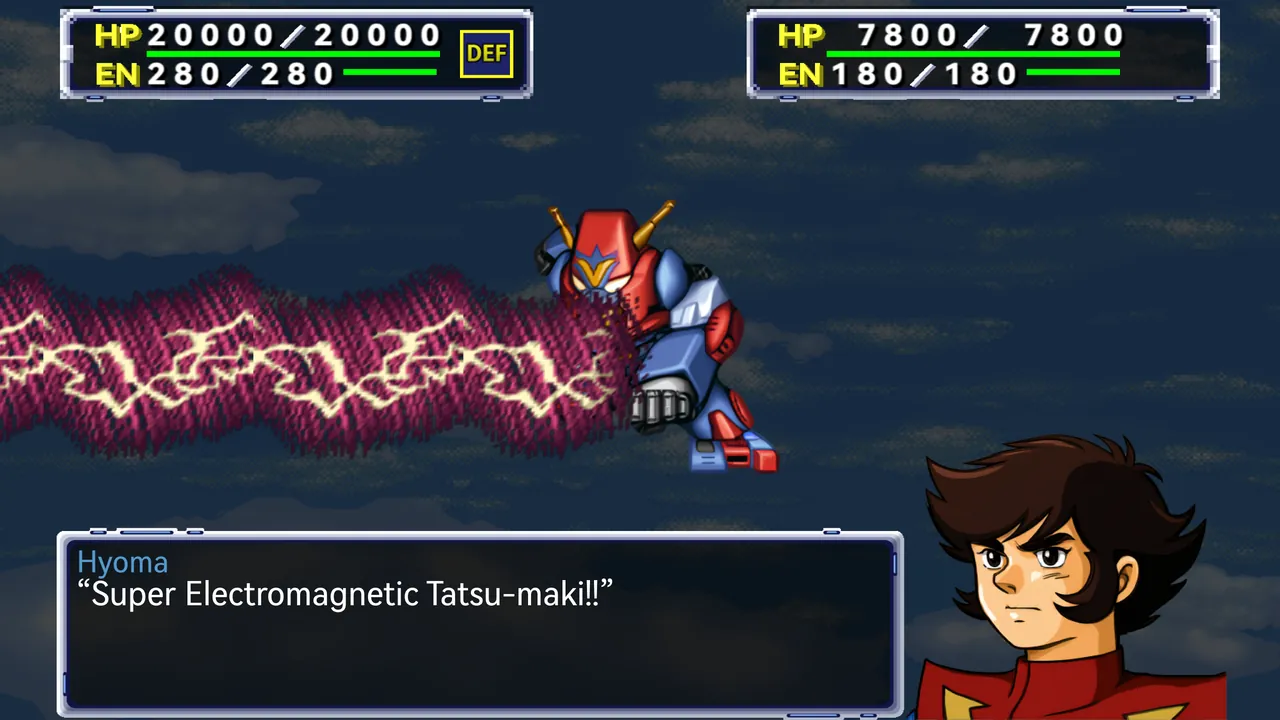
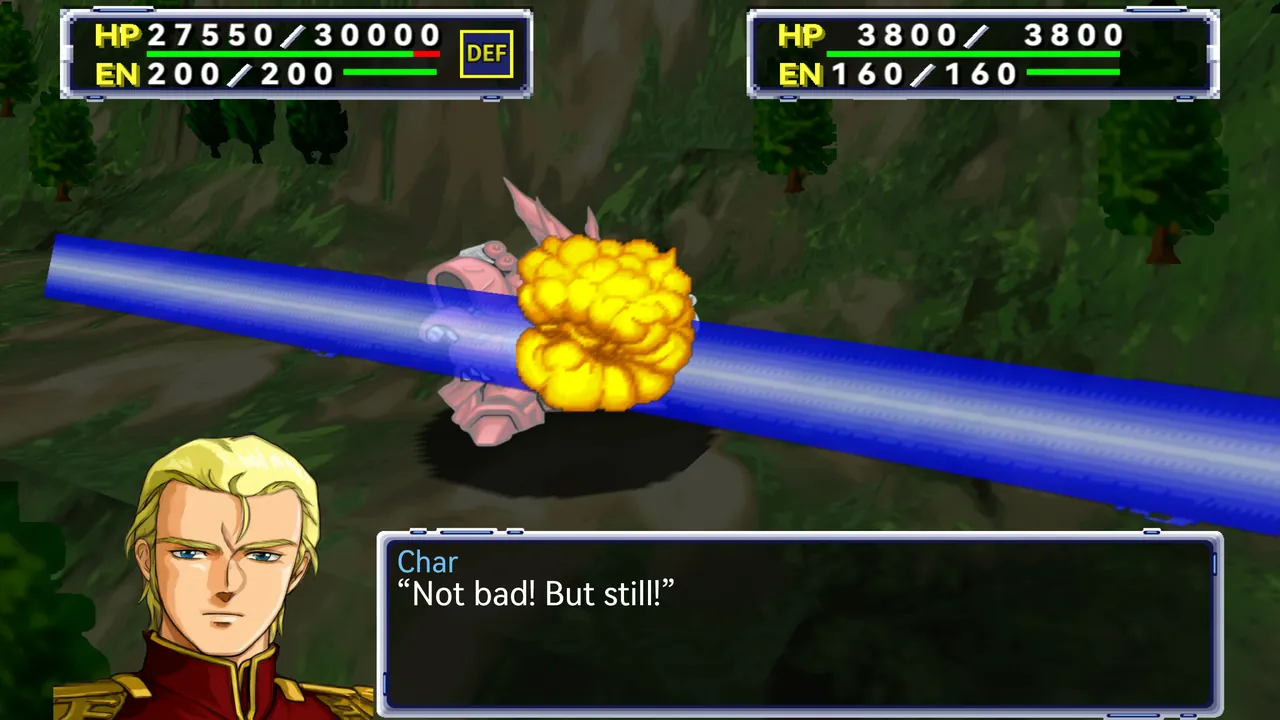
Battles in HD

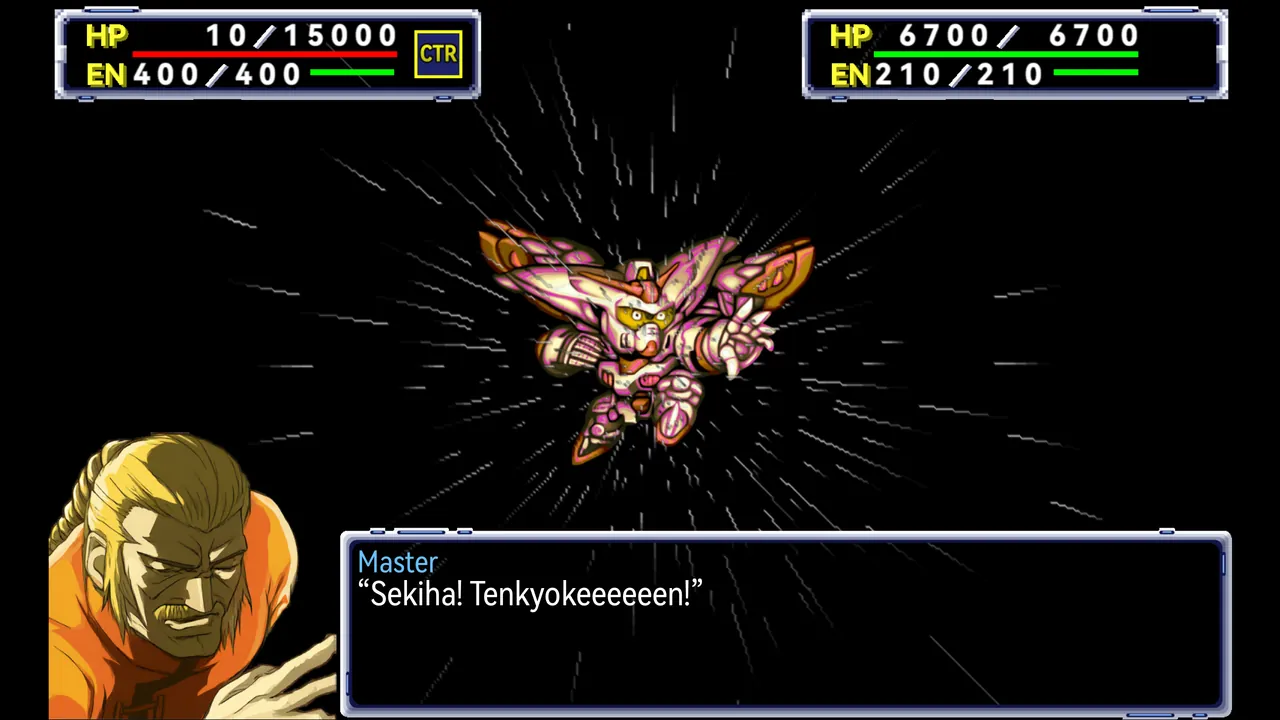
High-resolution art for units, cut-ins, portraits and backgrounds, with the original animation timing and camera work.

More features

  • Runs natively

    The N64 program is recompiled into native code, with graphics rendered by RT64. After installation, add your ROM following the setup instructions to start playing.

  • Full text in three languages

    Full English and Chinese translations alongside the original Japanese. Character, unit and weapon names follow common usage in each language.

  • Extra save slots and autosaves

    More save slots than the original, with autosaves at key points. Export cartridge saves for use with ares, Project64, RetroArch and other emulators.

  • Widescreen without stretching

    Supports screen ratios from 4:3 to 16:9. The original view stays centred while the scenery extends to the sides, filling the screen without stretching the image.

  • Handhelds, phones, controllers

    Automatically detects Steam Deck and uses its button layout with a large interface by default. On Android, touch controls show the buttons needed for the current screen, labelled with their functions, such as “OK”, “Fast” and “Next unit”.

  • Optional HD art pack

    The HD art pack is a separate download that works on every platform. The game uses the original pixel art without it; once installed, you can switch between the two at any time in game.

COMMUNITY

Help improve the translation

Browse the full script by stage, with the Japanese original and translation side by side. Suggest changes on individual lines to help resolve awkward wording or inconsistent names. The outcome of each suggestion is public.