
Release notes
What changed in each version. Known issues and downloads are in each version’s full notes.
Download the latest version · v0.5.3 →Android compatibility →
Korean, story mods, Final Dancouga, text updates between releases, and HD 1.3's battle animations
Full notes →0.5.3 adds Korean, takes mods from numbers to story events and new units, and lets text fixes reach you without waiting for a new program. HD 1.3, released with it, puts the battle animations in HD for the first time and needs 0.5.3.
Fixes
- Banjo and Daitarn 3 join on the real-robot OZ route as in the original: they were missing from the join event of the stage where they arrive. An old save that should have them is repaired when it is loaded.
- Battle viewer: each Getter form has its own pilot (Hayato in the 2-forms, Musashi or Benkei in the 3-forms), and a viewer battle shows every protagonist’s own face and name instead of an empty label.
- Text: the 13 original characters’ lines were reviewed against their profiles for tone and forms of address, in Chinese and English; in Chinese Aisha addresses Manami consistently, Dancouga’s ground units are 豹战车, 狮战车 and 象战车, ダイガン is 断空步枪 and ムゲ is 穆格 in every line; Traditional Chinese writes 週目 and 龍捲風 throughout.
- The map’s figures sit on their unit in the widened view: a spirit’s +10, the damage and MISS were drawn offset at 16:9.
- The title’s press and a quick load wait for every button to be released, so a held key no longer repeats; the intermission pages close when the game leaves the intermission; labels the original centres are centred in translation too.
Traditional Chinese, mods on Android, and number, name, portrait, icon and battle voice mods with makers on the website
Full notes →0.5.2 adds Traditional Chinese for Taiwan and lets Android install MOD packages. The MOD side opens up: numbers, names and portraits, map icons and battle voices, each with a maker on the website that works in your browser. Karaoke and the demo no longer hurry at 2×, and the packages are ready for RecompLauncher.
Fixes
- Karaoke, the title demo and the battle viewer keep the original speed at 2× and above: the lyrics counted frames while the song kept its tempo. Only a stage’s battle animation runs at the chosen speed.
- The battle viewer offers the forms and units no stage deploys: Getter-2 and 3, Getter Liger, Shin Getter-2 and 3, Zambo-Ace and the other transformed forms, and the units only the story puts pilots in.
- Names: in English, Gundam Nataku, Apsaras II and the Titans’ Gundam Mk-II in the Library; in Chinese, 灵鸟, 灵鸟-炫华 and 凤翼 for the Original units スイームルグ, スイームルグS and エルブルス, 哪吒高达 for アルトロンカスタム and 阿普萨拉斯II for アプサラス, and the Library tells repeated units apart by pilot (亚克托·德卡(葵丝), 猎犬(盖茨)…) with ダンクーガ (2) as 终极断空我. Traditional Chinese the same. Most came from the website’s suggestions, thank you.
The save and upgrade freeze fixed; MOD packages, music mods and a BGM mod maker
Full notes →0.5.1 first fixes the two problems players reported after 0.5.0: the game freezing on a save or an upgrade, and the New and HD pre-battle pages ignoring Counter Plan orders (#16). MOD packages open in this release too, starting with music and terrain ranks: for music we ship only the maker, for terrain ranks a demo package. Thanks to everyone who sent reports.
Fixes
- The game froze on a save or an upgrade. Saving a second time in one visit to the save screen (overwriting slot 1), or upgrading a unit, could stop the game while the screen went on running. Reported from an iQOO 12 and a Windows desktop. The flaw in the save screens was old; 0.5.0’s 120 Hz timing made it far easier to hit.
- Counter Plan on the New and HD pre-battle pages (#16): with any Counter Plan order other than Manual, these pages gave no way to change the response and the weapon button did nothing. They now open the response screen as the original does for Manual, with the order’s choice selected (counter with its weapon, evade or defend), and you can keep it or change it, another weapon included. The Original screen still follows the order without stopping.
A Switch version, HD 1.2 with redrawn map unit icons, and 3× and 4× speed
Full notes →The biggest change in 0.5.0 is a new Switch version, and the HD pack is now 1.2. It also fixes what players reported after 0.4.10: GitHub issues #9, #10, #13, #14 and #15 are all handled in this release. Thanks to everyone who sent reports and recordings.
Fixes
- After a GAME OVER, retrying brought back reinforcements already on the map: the same enemy twice, sharing its HP, and the game crashed once one was shot down. This had been there since 0.3.3.
- With the original intermission screens, the Link screen was empty and nothing could be linked.
- Story choices sat on the window frame, and a long option shrank the whole block. Each option is now indented as in the original, one per row.
- A full-upgrade bonus weapon sometimes stayed locked, for example after Mazinger Z upgraded to 13–15 became the JS type. Entering the intermission unlocks it, older saves included.
- Pilot pages: a skill not learned yet showed as another skill at L9 (Fa Yuiri joined with Shield Defense L9); the Getter team’s units were off by one form (#13).
- Return to Title stayed on screen over the unit list and other sub-screens, and its text moved after coming back (#15).
- At 1080p a scrollbar showed beside the spirit tags on the pre-battle page.
- Windows: some AMD integrated GPUs crashed after a driver reset under D3D12. Setting the environment variable
SRW64_GRAPHICS_API=vulkanswitches to Vulkan.
New features
- 3× and 4× speed (#10): the speed key (Tab, R4, the phone’s speed button) steps through original, 2×, 3× and 4× without a restart. 3× and 4× need the device to draw 90 and 120 frames a second and run slower where it cannot.
- The pilot panels in battle show a buff bar: only the spirit effects in effect, your buffs in gold and the debuffs the other side cast in red.
- Combination attacks are always listed in the intermission weapon list and the map’s unit data; one that cannot be used now is grey, with a line naming the partners it needs and how close they must stand.
- The EXP and money cheats are separate (#14), each ×1, ×1.5, ×2, ×3, ×5 or ×10. A multiplier set in an earlier version applies to both.
- Return to Title is the second-to-last row of the map and intermission menus.
- Touch control opacity goes down to 0%: the controls are invisible but still work.
- A lighter UI: the UI thread on a phone uses about a third of what it did, and the pages and the pre-battle page answer keys faster.
The minimised-window hang and the widescreen sky seam fixed, a way back to the title, and portable mode
Full notes →0.4.10 is mostly fixes for what players reported after 0.4.9, with a few conveniences added. The HD pack has not changed and is still HD 1.1. Thanks to everyone who sent reports and recordings.
Fixes
- Windows: minimising the window with the settings or the pre-battle page open made the game stop responding.
- Loading the suspend save from the pre-battle page left the page over the map, holding every button.
- A wrong ROM closed the game without a word, like a crash. Every platform now says what is wrong: an archive to extract first, the wrong size, another or a patched game, a missing file. On Android you can choose again; a Steam Deck in Game Mode says where to put rom.z64.
- A line at the 4:3 edges of widescreen battle skies. The fix is in the game, so the HD pack needs no update.
- With 4:3 kept in a wider window, the title’s load menu and other pages sat off to the right.
- Unified weapon upgrades: at a machine swap in a stage opening (フルアーマー百式改 and others), the new machine’s extra weapons started at level 0. They now take the old machine’s level.
- A five-stat upgrade that reached the EW swap dropped the rest of the plan. It now goes on with the new machine, and the unit list says which one it became.
New features
- Return to the title screen: a new entry in the map’s menu and the intermission menu, also on F10, the stage info page and the desktop menu bar; it asks first. The original needed Z+START for this.
- Portable mode (Windows and Linux): create an empty folder named user-data beside Marchwind64.exe (srw64 on Linux) and saves and settings live there, so the whole game folder, ROM included, can move to a USB stick or another PC. The first launch copies in your existing saves and settings; a normal exit syncs them back to the system folder, asking first when the saves differ and backing up the old ones.
- The first launch follows the system language: Simplified Chinese on a Chinese system, Japanese on a Japanese one, English otherwise; from Steam, Steam’s language.
- Desktop menu bar: new Language, Tools and Help menus to switch the language, take a screenshot, toggle 2× speed, open the stage info, load the suspend save or export logs, each entry showing its key.
- Three new cheats (Options → Cheats): real damage, counted past 65535; EXP and money ×2/×5/×10; and an ally morale cap of 150, 200, 300 or 999.
- Pilot pages show kills (not for enemies).
- Chapter title cards in brush lettering: Japanese in a font traced from the original cards and laid out like them; Chinese and English in Ma Shan Zheng.
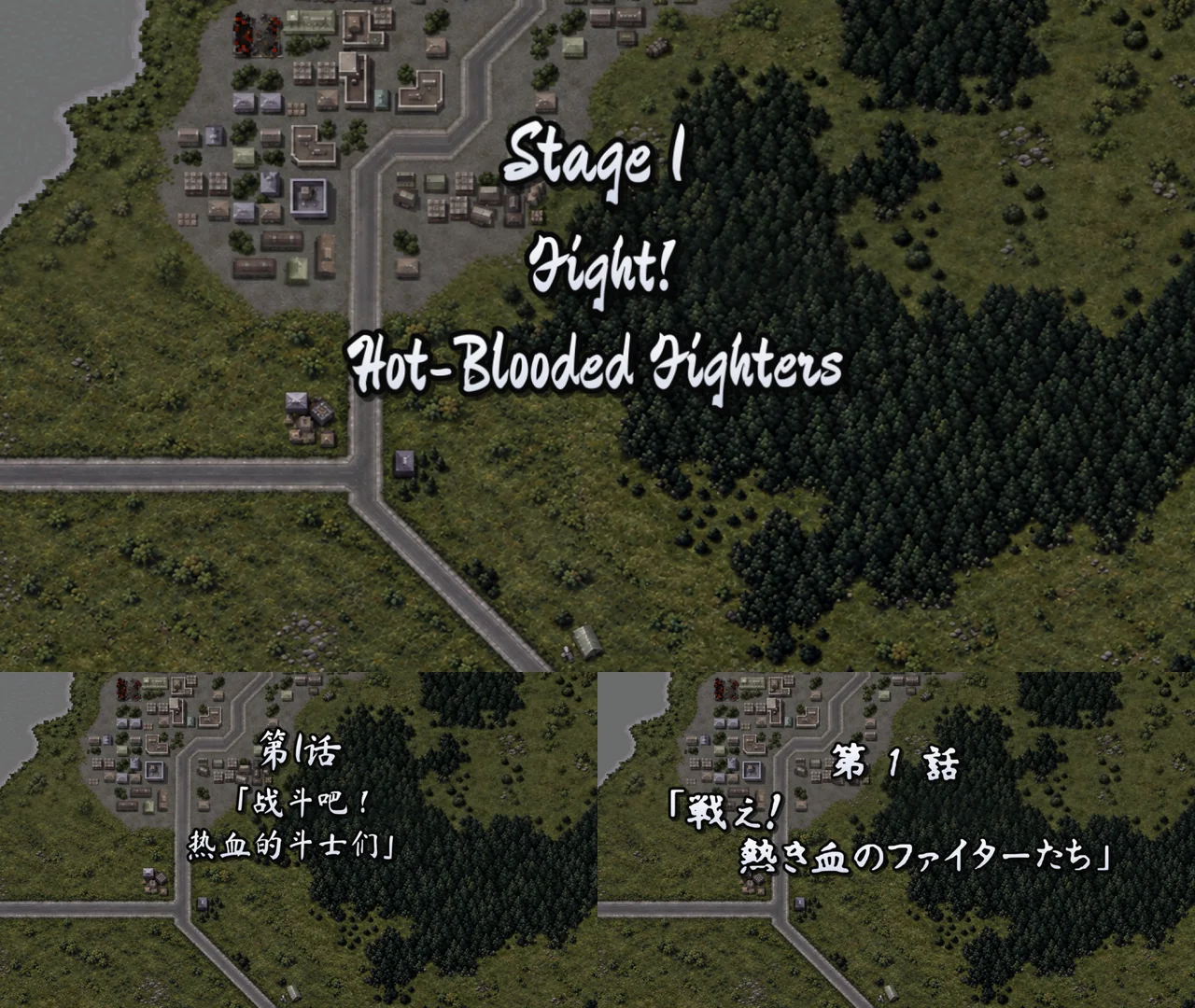
For problems, Options → Report or Tools → Export Logs in the menu bar exports a problem report. Which Android chips have been tested is on the Android compatibility list.
Unified weapon upgrades, the suspend save from the map, and more Snapdragon phones
Full notes →0.4.9 brings more Snapdragon phones in, fixes a few things on the battle page and adds some conveniences. The HD pack has not changed and is still HD 1.1.
Fixes
- Android: Snapdragon 855/860, 778G, 765G and 730/732G phones no longer close at start (Poco X3 Pro, Pixel 4/4a/5, Galaxy A73 and others). Thanks to the Poco X3 Pro player who tested it. Older Snapdragon phones still on Android 9 or 10 now ask you to update Android instead of closing.
- A crash when casting 友情 or similar spirits on the battle page during the enemy’s turn.
- A flash when choosing Evade or Defend on the battle page.
- An extra confirm sound in dialogue with nothing pressed.
- Misaligned weapon ranges and negative hit modifiers in the original-style screens.
New features
- Unified weapon upgrades (Options → UI → Weapon upgrades; Unified by default): all of a unit’s weapons, every form included, go up together to one level, for the same total price as one by one; weapons that join later catch up for free. The full-upgrade bonuses show one after another, and levels past the original cap show as yellow triangles. Choose Per weapon (original) for the original’s way.
- Load the suspend save from the map: the Load button beside Info on Android, a button on the stage info page, or F9 on the keyboard. It asks first, showing the save’s turn and funds, and works in the middle of a battle too.
- Carry finished hidden elements into a new playthrough (a new difficulty rule, off by default): a hidden element finished in an earlier playthrough joins right after the stage where it would have joined.
- A new cheat: unlimited actions for your units.
- Pilot pages show the spirits still to learn, with their levels. An enemy’s pilot page shows its learned spirits and SP, and every enemy’s numbers can be seen from the start of the stage.
- The Link page is a list of works, with the chosen one’s units and pilots in a panel beside it.
- Smaller downloads: the desktop packages are about 12 MB smaller, and the Android APK went from 88 MB to 34 MB.
For other problems, Options → Report in the game copies the platform info and exports a problem report. Which Android chips have been tested is on the Android compatibility list.
Stage info, a frame rate setting, and the Redmi K60's black screen fixed
Full notes →0.4.8 adds two features and fixes the Redmi K60’s black screen left open in 0.4.7. The HD pack has not changed and is still HD 1.1.
- Stage info. A page lists the current stage’s hidden elements and how far you are with each (between stages, the next stage’s), and each enemy’s parts and retreat condition, so you know which enemy to shoot down first and what not to miss. Press Y on a controller or I on the keyboard on the map or between stages; on Android, tap Info at the top left; it is also in Options → General. The hidden elements follow the conditions in the original’s story scripts; if one does not match what happens in your game, please tell me.
- A Frame Rate setting (experimental): the game stays at the original 30 by default; to try it, choose 60 or Display in Options → UI, which adds frames in between.
- A new cheat: enemy and recruit levels (Options → Cheats). Newly deployed enemies and new allies start from a base level, with three choices: Original (the average of your top 15, at most chapters cleared + 40 and 95), Match party (the same average, no cap) or By chapter (3 + 0.9 × chapters cleared, at most 50). Enemies already on the map and allies already with you stay as they are.
- Android: the black screen on the Redmi K60 and similar phones is fixed. While setting up the screen, the game asked the system which pixel formats it supports, and on some phones that query left a lock behind, so the screen’s buffers never came. On Android the game no longer asks and takes a common format. A K60 player confirmed it plays now; thanks for testing again and again.
- Windows: a PC with no Vulkan driver starts again. 0.4.7 failed there before D3D12 had a chance. It now runs on D3D12; with neither graphics API available, it asks you to update the graphics driver, in the game’s language, instead of closing.
- Android: Hold ▶▶ keeps fast-forwarding again. Since 0.4.5 it often stopped after one line.
- After a restart, the settings page and the button hints show your own key bindings. The game itself always used them; the settings page, the on-screen hints and the new pages read the defaults.
For other problems, Options → Report in the game copies the platform info and exports a problem report.
A likely fix for a crash at the title on AMD graphics, and keys no longer held after a skip
Full notes →0.4.7 fixes problems reported after 0.4.6, mostly graphics on Windows and controls on Android. The HD pack has not changed and is still HD 1.1.
- Windows: a likely fix for a crash at the title on some AMD graphics. A player’s Apex (Radeon 8060S) closed 0.4.6 at the title. The crash file added in 0.4.5 showed why: releases had the graphics driver’s debug checks on wherever Windows Graphics Tools or a Vulkan SDK is installed, and one sampling mismatch in drawing the menus stopped the game there. The checks are off in releases now, and the menus are drawn single-sampled, away from that path. I do not have this GPU, so please let me know if it works. Thanks to the player who sent the crash file.
- Garbled menus on some Intel graphics are most likely fixed too, by the same change. The anti-aliasing switch now applies to the game picture only; the menus stay sharp.
- Keys no longer stay held after a short story skip. When some short skips ended, the reader missed the end, so the touch buttons stayed on Stop skip and the D-pad and OK seemed held down.
- The map’s objectives screen no longer holds keys either; it was taken for dialogue.
- Android: a thumb rocking on the edge of the touch D-pad is one press, not two (it skipped a row on the pre-battle page), and a touch between its arms no longer takes the page’s focus.
- Pre-battle page: a tap beside the buttons (a pilot panel, a picture, the numbers) no longer drops the yellow focus frame.
- With battle animations off in widescreen, the HP window no longer jumps to the right edge for a target on the left.
- Widescreen: a story choice’s green bar stays inside its window.
- A new cheat: 4 part slots on every unit (Options → Cheats). Turned off, the parts in the extra slots go back to storage at the next intermission menu or load, so nothing is lost or counted twice.
- The parts cheat gives 15 of every part instead of 9. 9 is only the original’s drop threshold; 15 is the most a save keeps, so the original and emulators read such a save the same. The holder list shows 9 rows and scrolls.
- Android: the last three runs’ logs go to Documents/Marchwind64/logs, so a phone that cannot reach the settings can still send them; they show where each thread was when the game got stuck.
2x speed, and no more crashes on a Windows double-click
Full notes →The big new feature in 0.4.6 is a 2x game speed. It also fixes 0.4.5’s occasional crash when Marchwind64.exe is double-clicked, so Windows players should update. The HD pack has not changed and is still HD 1.1.
- 2x game speed (Options → General → Game Speed, off by default). Battle animations, the world map, story scenes on the map, the enemy phase and units moving run twice as fast; your menus, the cursor, the pre-battle screens and the intermission keep the original speed, so the cursor does not race. The music keeps its tempo. Tab toggles it on a keyboard, the R4 back button on a controller (remappable), and a 2x button at the top left on Android, amber while on.
- Windows: no more crashes on a double-click. 0.4.5 crashed about one start in three when Marchwind64.exe was double-clicked: the crash reporter added in 0.4.5 and the step that releases the console window got in each other’s way. Fixed and checked with repeated starts on Windows 11.
- No more red and yellow specks in battle skies. 0.4.5 fixed one set of patches; this is another: the tower windows in the ruins showed through to units or beams. They are opaque again, as in the original. The HD pack needs no update. Thanks to the player who sent a photo.
- HD: units are no longer hidden behind a bridge. In scenes like the night bridge, the deck covered the lower half of an HD unit (Getter-2’s drill, for one); the original images were fine.
- Chinese names now follow the Chinese edition of Super Robot Wars Z, in the story, the interface, the Library and the guide.
- Android: saves and files live in Documents/Marchwind64. Choose the folder once, at the first start or from Options → Saves; saves, imports, exports, problem reports, filters and bezels all go there, file managers see it, and uninstalling the game keeps it. Earlier saves are copied over.
- The Android launcher icon is the M64 badge, and the Steam art for the Steam Deck is new too.
Please report problems on GitHub Issues; in the game, Options → Report copies the platform info and exports a problem report.
No more patches in the battle sky, Chinese folders on Windows, an anti-aliasing switch
Full notes →0.4.5 fixes a few problems players reported and adds some settings. The HD pack has not changed and is still HD 1.1; if you have it installed, there is nothing to download again.
- No more red and yellow patches in the battle sky. A 0.4.4 problem on every platform: battle effects such as speed lines and flames were drawn as if they were the sky, leaving red and yellow patches across the skyline. Thanks to the player who sent a photo.
- Ending a battle animation right as it starts no longer crashes. Pressing the end key (X/B or R2) the moment an animation begins could crash; now it simply ends the animation.
- Windows: the game starts when your user name or the game folder is in Chinese. Before, it stopped with an error at once. This works on Windows 10 (version 1903 or later) and Windows 11.
- New anti-aliasing switch (Options → General). On by default; turning it off lightens the load on your graphics card, and may help if menus look garbled on some Intel graphics. Applies after restarting the game.
- With battle animations off, a miss now shows MISS. Before, an attack that missed showed nothing on the map. The map’s battle results also play faster.
- Choose the dialogue text size in the settings (Options → UI), five sizes, remembered.
- With HD on, the map unit icons can stay original (Options → General), for those who prefer the original pixel sprites.
- Android: the history button is back in dialogue. 0.4.4 lost it when the touch buttons changed; it now sits where Back usually is, turns into Back while the history is open, and into Stop while skipping.
- Windows: a crash leaves a diagnostic file, included in the problem report from Options → Report. If the game crashes, please send me the report; it makes the cause much easier to find.
Please report problems on GitHub Issues; in the game, Options → Report copies the platform info and exports a problem report.
No buildings above the sky in widescreen, HD battle skies, no hang on quit
Full notes →0.4.4 mainly fixes what widescreen battles showed above the sky, and brings the battle skies to HD. The HD pack moves to HD 1.1 (the battle skies are new); if you have HD 1.0, the game’s update check will say so: replace the whole
hdfolder.- Widescreen: battle close-ups no longer show buildings and a black strip at the top. The battle sky is a picture that wraps around; when the camera closes in, it moves down, and the original hid the rows that wrapped up from its bottom under the black band at the top. Widescreen drops the bands, so a strip of black and pieces of the skyline showed between the HP windows, on every platform. In widescreen the sky is now drawn a little larger (about 7%), so the top shows sky; its place and movement are the original’s. The 4:3 setting keeps the original. Thanks to the player who sent the photo.
- HD: the battle skies are in HD. All 42 sky pictures of the battle backgrounds, in 91 palettes, upscaled 4x with local upscaling models, keeping the original’s grain; the Battle Viewer’s scene pictures are now HD captures from the game. Needs HD 1.1.
- Closing the game no longer sometimes hangs. On quit, a shader compilation thread could miss its stop signal and the game waited for it for ever. Fixed on every platform.
- The weapon upgrade screen no longer sometimes crashes or freezes on opening (reports from 0.4.2 and 0.4.3).
- Screenshots: F12 or Print Screen on any screen, saved to the
screenshotsfolder in the data folder; a notice says where. On Windows and Linux Alt+Enter also toggles full screen (F11 as before). - Android: one touch skips a story scene. It used to take R1 and START together, hard on a phone. On dialogue and the prologue pages the touch buttons become Skip, Auto and Hold to fast-forward.
- Android: the D-pad stays in the bottom-left corner, and the buttons’ opacity is a setting.
- Android: saves and problem reports export to the public Download folder (
Download/Marchwind64/saves,reports), where any file manager finds them, without any storage permission. - Held fast-forward turns a page every 0.3 seconds instead of racing ahead.
- In the save list and the intermission’s stage bar, “Cleared” follows the stage title on one line.
- English: the Victory Conditions, Defeat Conditions and Confirm Deployment windows have shorter titles that are no longer squeezed.
Please report problems on GitHub Issues; in the game, Options → Report copies the platform info and exports a problem report.
No more HD freezes, pre-battle spirits count, more Android phones start
Full notes →0.4.3 fixes a battle problem that affected play, Android phones that would not start and a random freeze with HD images, and improves large screens, Windows and the layout of translated text. The HD pack has not changed and is still HD 1.0; if you have it installed, there is nothing to download again.
- No more random freezes with HD images. On every platform since 0.3.1, with HD images on, the game could now and then stop for good on some screen (sometimes the sound too), and even Esc could not close it; it came more often after openings that pass several HD maps. The render thread, releasing an expired HD map, asked for a lock it already held and locked itself. That is fixed. Thanks to the players who sent problem reports; that is how it was found.
- Battle: spirits cast on the pre-battle page now count. The original settles an exchange, hit rolls included, before its confirmation screen. After casting a spirit on our pre-battle page, only the shown hit rates were updated: Bullseye showed 100% while the battle played the earlier rolls, and Valor, Soul, Spirit, Wall, Vigor, Guts, Fortune and Gain did not apply to that battle. The exchange is now settled again after the cast with the original’s own steps, keeping the chosen response and counter weapon.
- Android: some phones no longer quit at start. Mali phones with older drivers (such as the Samsung Galaxy A15 and A35) said “Unable to find compatible graphics device” and closed. The Android build required a Vulkan extension that is only used for debugging, and those drivers do not offer it. It is optional now, and the game starts on real Galaxy A15, A35 and Pixel 7 phones. The Android build also drops its debug asserts and is a little smaller.
- Android: Snapdragon 865/870/888 phones no longer crash or miss parts of the picture. Adreno 650 (Snapdragon 865/870, such as the POCO F3 and Galaxy Tab S7) crashed about a second into drawing; the Adreno 660 driver (Snapdragon 888, such as the Galaxy S21 Ultra) could not build some shaders and crashed at start. Both are fixed and checked on real devices. On Android, a new material also came out nearly transparent for its first frames; on the Adreno 660 that meant missing battle backgrounds and HP/EN frames, and trails behind units.
- Android: a game that gets stuck writes where each thread is into its log, so a problem report from Options → Report shows us where it stopped.
- Android: touch controls are one fixed full set again. The buttons that changed by screen were missing some that a few screens needed, so for now every screen shows the whole set: the stick on the left, OK, Back, L1/R1, L2/R2, settings and START, named in the game’s language. At PRESS START, the L2/R2 places are the Library and the Battle Viewer.
- Upgrade several levels at once. On the five-stat upgrade screen, left/right plan levels for each stat (several stats at a time), and A then はい pays the whole plan; on the weapon confirm screen, left/right choose how many levels to add. Prices, caps, linked upgrades and the full-upgrade bonus follow the original’s rules; the confirm window shows the total, in red when your funds do not cover it.
- Translations keep inside the original windows. The unit command and intermission menus are wider in every language; a translated label takes the width of its column’s widest original, a sentence the original continues on one line is laid out as one, and English is narrowed before it is made smaller.
- On large screens the pages grow with the window. At 1080p or 4K, the pre-battle page, the settings window and the Battle Viewer were half or a quarter of their Steam Deck size, gathered in the middle and the corners. The Interface size now lays them out by the window’s height (Standard, Large, Largest); the Steam Deck is unchanged.
- Windows: sharp on scaled screens. On screens scaled to 150% or 200%, Windows stretched the whole window and everything was soft; the game now draws at the screen’s own pixels.
- Windows: the program has an icon, and the window has a menu bar (settings, reload dialogue text, check for updates, view options). In full screen the bar hides and the picture fills the screen; moving the mouse to the top edge brings it down. The macOS app has a new icon too.
- Battle: the ability banners (Critical, Shield Defense, Afterimage, the barriers) lose their black plate, so the battle shows through them, and the number beside a banner (Critical 3000) is drawn in HD.
- Starting again is friendlier. Starting right after closing the game waits for the old one to finish exiting; if another game is still open, the game says so in your language and offers to end it and start (unsaved progress there is lost), or to cancel.
- Windows: internal UI checks no longer stop the game with a dialog.
- Settings… in the menu bar now opens the settings from the Library, the Battle Viewer and the MOD page.
- English: “Counterattack Settings” and “Weapon Stats” are now “Counter Plan” and “Weapons”, so they fit their frames.
If the game stops on one screen, the most common cause is an old graphics driver; the FAQ says how to update it.
If something goes wrong, please report it on GitHub Issues; in the game, Options → Report copies the platform info and saves a problem report. For Android, please include the phone model and its processor.
Windows starts again
Full notes →0.4.2 fixes one problem, on Windows; the other platforms are the same as 0.4.1. The HD pack has not changed and is still HD 1.0; if you have it installed, there is nothing to download again.
- Windows: the program no longer closes as soon as it opens. In 0.4.0 and 0.4.1, whether you double-clicked
Marchwind64.exeor ranMarchwind64.cmd, the window flashed and closed, leaving no log. The very first thing the program does, setting up its output buffering, passed a value the Windows C runtime does not accept, and the system ended the process before anything was logged. This is fixed and checked on Windows 11, and every build now starts the program on Windows once before it is packaged. - Double-clicking
Marchwind64.exeto start the game, announced in 0.4.1, works from this version on.
Thanks to everyone who reported that Windows would not start. If you still have trouble, please open an issue on GitHub; in the game, Options → Report copies your platform info and exports a problem report.
- Windows: the program no longer closes as soon as it opens. In 0.4.0 and 0.4.1, whether you double-clicked
Snapdragon phones no longer crash
Full notes →0.4.1 is the first fix release after 0.4.0. The HD pack has not changed and is still HD 1.0; if you have it installed, there is nothing to download again.
- Android: no more crash on Snapdragon phones. Phones with Qualcomm Adreno graphics (Snapdragon 8 Gen 2, 8 Gen 3 and others, such as the Redmi K70, iQOO 12 and vivo Neo9) crashed as soon as the game started drawing. There were two causes, both where Qualcomm’s driver differs from the Vulkan standard: a descriptor pool sized by its upper limit ran out, and the shader compiler could not build a few framebuffer shaders. Both are fixed and checked on real Adreno 740, 750 and 830 phones.
- Android: the opening prologue pages have a Skip button, and the PRESS START screen shows the Library and Battle Viewer buttons again.
- Windows: double-click
Marchwind64.exeto start the game. It finds the ROM asMarchwind64.cmddoes and asks for one when there is none.
Thanks to everyone who reported the crash. If your phone still crashes, please report it on GitHub Issues with the phone model and its processor.
The first public release
Full notes →The first public release, out as a feature preview. The whole game is playable, but the translation has not been hand-edited yet and testing on each platform is limited. Bug reports and text suggestions are welcome.